
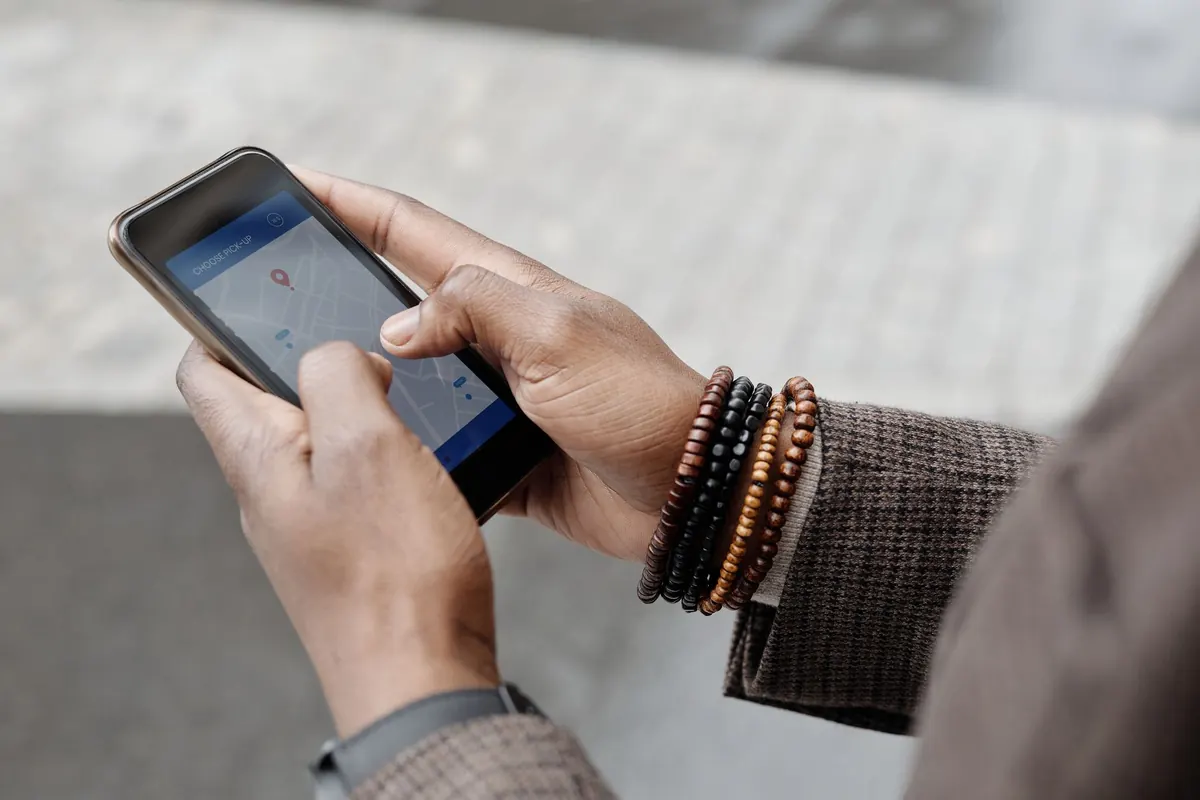
Picture a couple who just arrived at a hotel in Mikocheni. They are hungry, it is 8 pm and they do not know the area. One of them takes out a phone and types "restaurant near me". Three places come up with photos, stars and a "Directions" button. They go to the first one with good reviews. They never even see the excellent place two streets away, because it is not on the map.
Getting your restaurant on Google Maps is free. You create a Google Business Profile, put your pin in the exact spot, verify that you are the owner and fill in your hours, phone number, menu and photos. Then you keep it active with fresh photos, posts and replies to reviews. Here is the step-by-step process and what helps you show up higher.
Why does Google Maps matter for restaurants?
Because it catches people at the exact moment they are hungry and choosing. "Near me" searches are high-intent: the person is ready to eat now. A complete profile also shows your phone number, WhatsApp, menu and directions, so people can act right away. For tourists and business travellers in Dar es Salaam, Arusha and Zanzibar, Google Maps is often the first place they look.
Step 1: Check if your restaurant is already listed
Search your restaurant's name and area on Google Maps. Customers or Google itself may have added it already. If you find it, click "Own this business?" or "Claim this business" to take control. If not, you will create a new one.
Step 2: Create your Google Business Profile
Go to Google Business Profile and sign in with a Google account you will keep for the business (not a staff member's personal email). Enter:
- Business name: exactly as it appears on your sign. Do not add keywords like "Best Chips Dar"; Google can suspend profiles for that.
- Category: choose the most specific one, such as "Seafood restaurant", "Fast food restaurant", "Café" or "Barbecue restaurant". You can add extra categories later.
- Location: drag the pin to your exact entrance. Many Tanzanian streets have unclear addresses, so the pin matters more than the text.
- Phone and website: add the number customers should call or WhatsApp.
Step 3: Verify that you own the business
Google needs to confirm the business is real and that you run it. Depending on your business and location, Google may offer verification by phone, email, video recording or another method. Video verification usually means filming your sign, the inside of the restaurant and proof that you manage it, such as opening the till or showing the kitchen. Follow the steps in the Google Business Profile help centre and be patient: it can take a few days.
Step 4: Fill in every detail
Complete profiles get more clicks. Add:
- Opening hours, including special hours for holidays and Ramadan.
- Your menu, either as photos or by typing dishes and prices.
- Attributes: dine-in, takeaway, delivery, outdoor seating, Wi-Fi, accepts mobile money.
- A short description: what you serve, who it is for and what makes you different.
- A link for orders or reservations, such as your WhatsApp.
Step 5: Add good photos, and keep adding
Photos are often what makes someone tap your listing instead of the next one. Start with at least 10: the front entrance (so people recognise it), the dining area, your top five dishes, the team and a logo. Add new photos every week or two. Our social media guide has tips for taking good food photos with a phone.
How do you show up higher on Google Maps?
Google says local results are based mainly on relevance, distance and prominence. You cannot change how far a customer is, but you can improve the rest:
| What helps | What to do |
|---|---|
| Relevance | Correct categories, a full description and a menu with dish names people search for |
| Reviews | Ask every happy customer, and reply to every review |
| Activity | New photos and posts every week, updated hours |
| Accuracy | Same name, phone and location on Google, Instagram, TripAdvisor and your sign |
| Mentions | Being listed in local guides, blogs and news |
How do you get more Google reviews?
Ask. Most happy customers simply do not think about it. In your profile, find "Ask for reviews" to get a short link, then:
- Print it as a QR code on table cards and the bill folder.
- Send it on WhatsApp after a delivery order.
- Train waiters to mention it when a customer says the food was great.
Never buy fake reviews or offer money for five stars. Google removes them and can penalise your profile. Reply to every review within a day or two, thank people by name, and answer complaints calmly. Our guide to getting more restaurant reviews covers how to handle bad ones.
What are Google Business Profile posts?
You can publish short updates directly on your profile: a weekly special, an event, a new opening time. They appear when people view your listing. Post once a week with a photo. It keeps your profile active and gives customers a reason to choose you today.
What mistakes hurt your Google Maps listing?
- Wrong pin location, so customers end up at the wrong gate.
- Hours that are not updated, so people arrive to a closed door and leave a one-star review.
- Adding extra words to your business name.
- Using a staff member's account, then losing access when they leave.
- Ignoring questions in the "Questions and answers" section.
- Only one dark photo of the sign.
Should you also be on TripAdvisor and other maps?
Yes, especially if tourists or business travellers visit your area. TripAdvisor is widely used by visitors to Dar es Salaam, Arusha and Zanzibar, and listing is free. Apple Maps and delivery apps are other places people search. Keep your name, number and hours the same everywhere.
What is a simple weekly routine?
Every Monday, spend 15 minutes on your profile: add three new photos, publish one post about the week's special, reply to new reviews and check your hours. Small and steady wins here, just like on social media. For more ways to attract customers, see our restaurant marketing ideas.
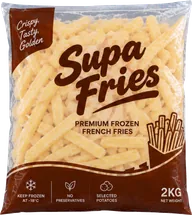
Crisp, golden chips are one of the most mentioned foods in restaurant reviews. Supa Fries help you serve them the same way every time.
Ask for wholesale pricesHow should you use the questions section?
Google lets anyone ask a question on your profile, and anyone can answer, which means a stranger might answer wrongly on your behalf. Check for new questions every week and answer them yourself. You can also add common questions and answers yourself: "Do you deliver?", "Is there parking?", "Do you have vegetarian food?", "Do you accept mobile money?" Clear answers save customers a phone call and help them choose you over a place that leaves them guessing.
What if you have more than one branch?
Create a separate profile for each location, each with its own pin, phone number, hours and photos. Use the same business name with the area added only if that is how your signs read, for example "Mama Grill Mbezi" and "Mama Grill Sinza". Reviews and photos then build up for the right branch, and customers are sent to the nearest one.
In short
To get your restaurant on Google Maps in Tanzania, create a free Google Business Profile, place the pin at your exact entrance, verify ownership, and fill in your category, hours, phone, menu and at least 10 photos. To rank higher, keep your information accurate everywhere, add photos and posts every week, and ask happy customers for reviews and reply to all of them.
Frequently asked questions
Is it free to put a restaurant on Google Maps?
Yes. A Google Business Profile is free to create and manage.
How long does Google verification take?
It depends on the method Google offers. Some verifications are quick, while video verification can take a few days to be reviewed.
Why is my restaurant not showing on Google Maps?
It may be unverified, suspended, missing key information or in the wrong category. Check your profile status and fill in every field.
How do I get more Google reviews for my restaurant?
Share your review link as a QR code on tables and receipts, send it after delivery orders and ask happy customers directly. Never buy reviews.
Can I add my menu to Google Maps?
Yes. You can upload menu photos or add dishes and prices directly in your Google Business Profile.
Put better chips on your menu
Found this useful? Share it.